Remote capture
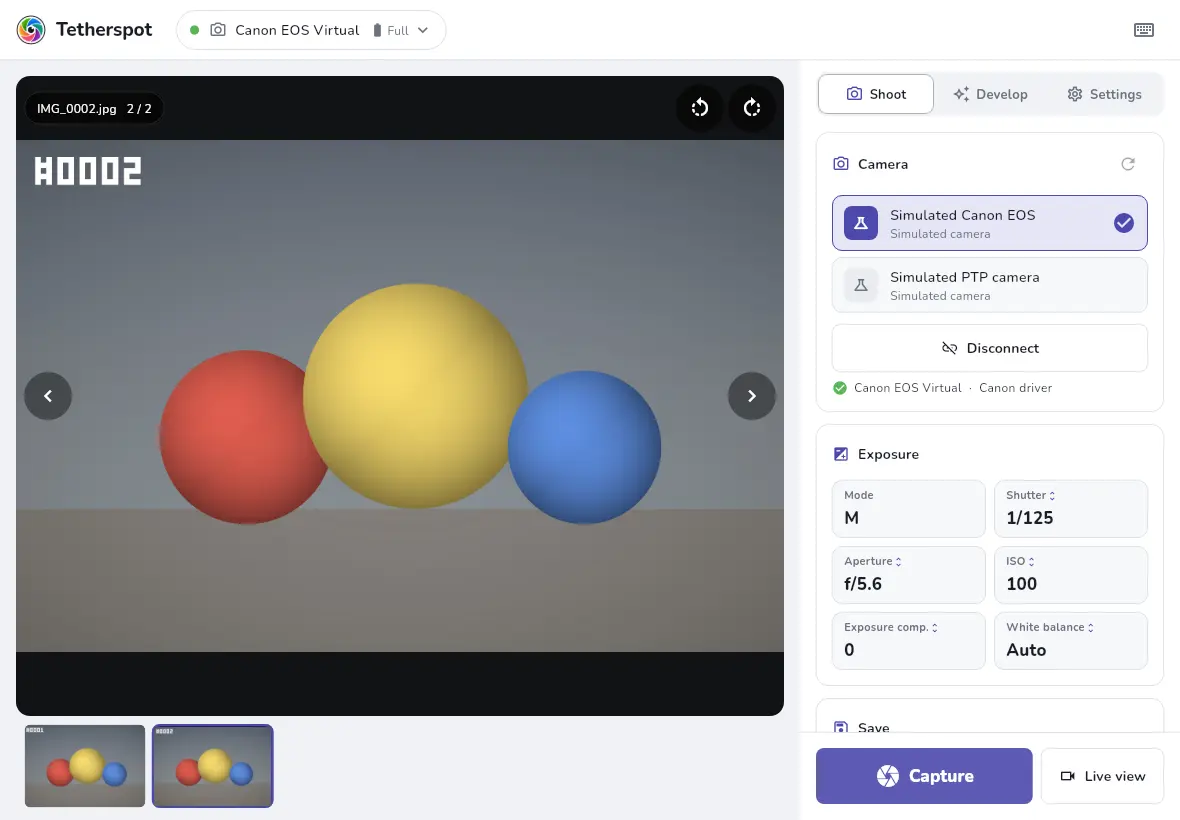
Shoot from the app or with the space bar. Every photo lands automatically in the folder you choose.
Free for everyone
Tetherspot connects your camera over USB to your computer, tablet or phone. Shoot remotely, see every photo full size the moment you take it, develop it with your Lightroom and Luminar presets and upload it straight to Prentspot.
No subscription, no trial, no watermark and no account needed. Tetherspot is free to use for everyone: photographers, studios, schools and events. You only sign in, with your Prentspot account, if you want to upload to Prentspot.
Shooting
From the first test shot to the last frame, you see what your camera sees and what you’ve captured, straight away.
Shoot from the app or with the space bar. Every photo lands automatically in the folder you choose.
Look through the lens on your screen. Rotate the image by hand; Nikon Z cameras follow how you hold them.
Set shutter speed, aperture, ISO, exposure compensation and white balance from your screen, with the shooting mode and battery at a glance.
Keep JPEG, RAW or both, with your own file names ({title} for the shoot name, {name}, {seq}, {date}, {time}). Existing files are never overwritten.
Zoom, a filmstrip of the whole folder and keyboard browsing. RAW files (CR2, CR3, NEF, ARW, DNG …) show via their embedded JPEG.
Show the photo or live view fullscreen on one or more extra monitors, for a client or a studio screen.
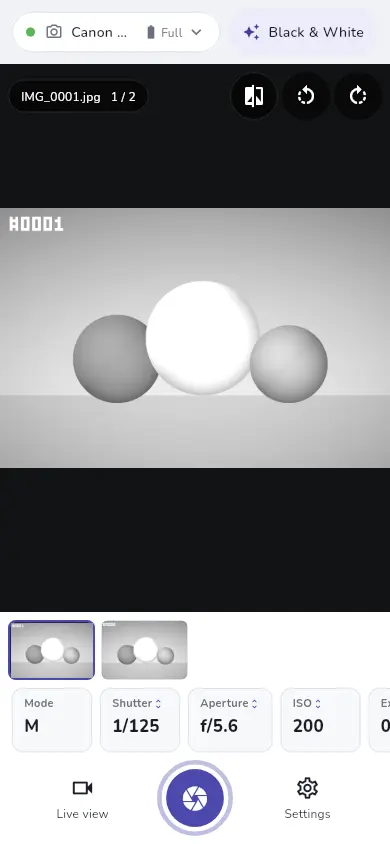
A side panel on desktops and landscape tablets, thumb-reach controls on a phone in portrait. Swipe to browse, pinch to zoom.
Follows your system’s theme and language, or pick your own. Photos always sit on a neutral dark background.
Develop
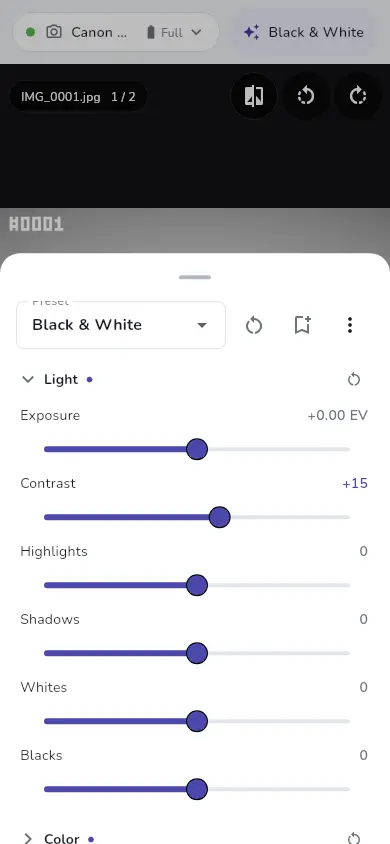
The develop panels follow Lightroom’s, with the same ranges. Everything is applied live on the GPU to the preview, the filmstrip and the extra screens, without touching your files. Hold the compare button to see the original.
Start from a standard preset (As Shot, Vivid, Warm, Cool, Black & White, Matte) or save your own next to them.
Presets
Import the presets you already have and your looks are ready during the shoot. Export your own presets, with the LUTs they use, to a file for another device.
.xmp presets (Lightroom Classic 7.3 and later, Lightroom CC, XMP sidecars too) and .lrtemplate (older Lightroom).
Luminar Neo packs (.lnpc) and Luminar AI / Luminar 4 packs (.ltc), including their LUTs.
Any .cube LUT (3D or 1D) as a preset, with adjustable strength. Or load one in the LUT group.
Import ZIP files with any mix of these formats in one go.
Settings without an equivalent in Tetherspot (profiles, masks, calibration, lens corrections, and Luminar’s AI tools and creative effects) are left out, and the import tells you which.
Prentspot
Sign in with your Prentspot account, pick or create a gallery, and every new photo is uploaded as it arrives. Your clients see their photos while the shoot is still going.
Cameras
Tetherspot speaks the camera makers’ USB protocols (PTP) itself, so you don’t need any software from the manufacturer.
EOS DSLRs and the mirrorless EOS R and EOS M series.
Capture, settings and live view
DSLRs and the mirrorless Z series.
Capture, settings and live view
Alpha cameras in the PC Remote USB mode.
Capture, settings and live view
Cameras that speak standard PTP, such as some Fujifilm, OM System/Olympus, Panasonic and Pentax models: capture and download.
Capture and download
Support follows the camera makers’ documented protocols. Not every model has been tested yet, so details can differ per camera.
Download
Latest version 0.5.2 (build 65)
Windows 10 and 11, 64-bit
Windows SmartScreen warns? Choose “More info”, then “Run anyway”.
x86-64
Make the AppImage executable (chmod +x) and run it.
Android 7 and later
When installing, allow your browser to install apps.
Versions for Mac, iPhone and iPad are in the works.